 NomadSwipe
How to use TripIt in 5 steps
How to use TripIt: forward each flight, hotel or car confirmation email to plans@tripit.com and it builds one itinerary per trip. Then check the trip it made, add by hand what email cannot carry, subscribe your calendar to its feed, and decide whether Pro is worth it. TripIt organises bookings you have already made. It is not a tool for finding things to do.
The 5 steps at a glance
| Step | What you do | Where TripIt says to do it |
|---|---|---|
| 1. Add bookings | Forward the original confirmation email, or turn on Inbox Sync | plans@tripit.com; Inbox Sync works with Gmail, Yahoo or Microsoft accounts |
| 2. Check the trip | Open the "Your TripIt itinerary is ready" email, then look at upcoming trips and Unfiled Items | TripIt emails you whether a new trip was made or the plan joined an existing one |
| 3. Add the rest by hand | Create a trip with dates and a destination, then add plans to it | Trips page, Add a Trip, Save; then Add a Plan |
| 4. Sync your calendar | Turn on the calendar feed and subscribe to its URL | App: Account, Settings, Calendar Sync. Website: profile icon, Settings, Calendar Feed |
| 5. Choose free or Pro | Compare the plans before paying | TripIt's pricing page lists Pro at $49 a year |
Step by step
-
1. Forward a confirmation email to plans@tripit.com.
This is the step TripIt's how-it-works page leads with: as soon as you book a flight, hotel, car or other reservation, forward it to plans@tripit.com and TripIt adds it to your trip. Its help centre adds the details that stop it failing. Send the original confirmation, because copied text, typed itineraries and screenshots do not count. Forward from the email address linked to your main TripIt account, since a different address creates a separate account. Forward from your own inbox, not from the airline or booking site, because TripIt identifies your account by the sender's address. Use only plans@tripit.com: support@tripit.com and other @tripit.com addresses will not post anything to your account.
If you do not want to forward, the same help page lists Inbox Sync, which adds travel plans from your inbox automatically and works with Gmail, Yahoo or Microsoft accounts. Setup is on a separate TripIt page that I did not read, so I cannot describe it.
-
2. Check the trip TripIt made.
After you forward, TripIt sends a notification email saying whether it created a new trip or added the plan to an existing one. One behaviour to know: if the travel dates overlap with a trip you already have, the plan goes into that trip instead of a new one, and you can move it afterwards. If you cannot find a booking, look at your upcoming trips, then at Unfiled Items, where confirmations that failed to process can sit until you move them into a trip.
-
3. Add what email cannot carry by hand.
Manual entry is for bookings you have no email for, or for things such as a meeting or an activity. On the website: open the Trips page, click Add a Trip, enter the start date, end date and destination (a Trip Name is optional), and click Save. Then open the trip, click Add a Plan, pick a type such as flight, lodging or activity, fill in the details and click Save. A trip can have only one primary destination, so a two-city holiday needs two trips. The app has its own add-trip flow, which I did not read.
-
4. Subscribe your calendar to the TripIt feed.
Turn on the feed first. In the app that is Account, Settings, Calendar Sync, then the calendar feed toggle. On the website it is the profile icon, Settings, Calendar Feed, then the toggle. Copy the feed URL, then add it by URL: in Google Calendar click the plus next to Other calendars, choose From URL, paste it and click Add Calendar; in Apple Calendar choose File, New Calendar Subscription and paste it. iPhone and Android each have an in-app route under Calendar Sync as well.
Two limits from TripIt's own page. The feed is read-only, so editing an event in your calendar does not change the trip. And it is slow: refresh time depends on the calendar, from 15 minutes to 24 hours, and Google Calendar can take up to a day. If it stops updating after you have waited, reset the feed URL in the same settings, remove the old calendar entry and add the new URL. Lotus Notes and Outlook 2013 or later are listed as not supported.
-
5. Choose free or Pro.
TripIt's pricing page lists the free plan as covering the itinerary, adding plans from your inbox, calendar sync, sharing, area safety levels, airport and terminal maps, trip statistics and 3 uploaded documents per trip. Pro adds the flight and airport features below.
What Pro adds
| Area | Pro adds |
|---|---|
| Flights | Real-time flight alerts, fare refund monitoring, seat recommendations and alternative flight options |
| Getting to the airport | Check-in reminders and prompts for when to leave |
| In the airport | Terminal and gate reminders, wayfinding, walking directions to a connecting gate and baggage claim information |
| Extras | Country-specific travel information, updates for others on your plans, faster security help and rewards program tracking |
| Documents | Up to 25 per trip (the free plan lists 3) |
| Passport | Renewal reminders |
| Price | $49 per year per the pricing page, which showed no monthly price |
Everything in the Pro column is about flights, airports and paperwork. If you fly rarely, the free plan covers the itinerary and the calendar feed. My comparison of six TripIt alternatives goes further on price and on what each tool does instead.
When a forwarded email does not import
TripIt's help page on failed submissions says the most common cause is the vendor changing its email format, which TripIt fixes once it knows. Beyond that, these are its stated limits.
| Limit | What TripIt says | What to do |
|---|---|---|
| Attachments | It reads only the first attachment in an email | Forward each attachment as its own email |
| Trip items per email | Up to 60 | Split very large bookings |
| Languages | English, French, German, Japanese and Spanish | Resend in a supported language if you can |
| Sign-in links | An itinerary that needs a sign-in cannot be read | Forward a version that shows the itinerary without signing in |
| Unsupported vendors | Some, such as smaller independent hotels, are not supported yet | Add the plan by hand |
| Unsupported plan types | Travel insurance and meeting or calendar invitations not from Gmail or Outlook | Add the plan by hand |
| Email client | Set it to send plain text and HTML | Change the setting and forward again |
If none of that works, TripIt asks you to contact its support, choose the category "Problem with your submission" and include the booking email's subject line.
TripIt is a booking organiser, not a place-discovery tool
Read the three steps on TripIt's own explainer: forward the email, get one itinerary per trip, download the app. Every step starts from a booking that already exists. That is a strength for a flight-heavy trip and a gap for the other half of planning, which is deciding what to do once you land. TripIt's pricing page does list transport options and finding places near your hotel, but it does not describe browsing or ranking things to do in a city. Nothing on the pages I read says it does.
When NomadSwipe fits instead (or as well)
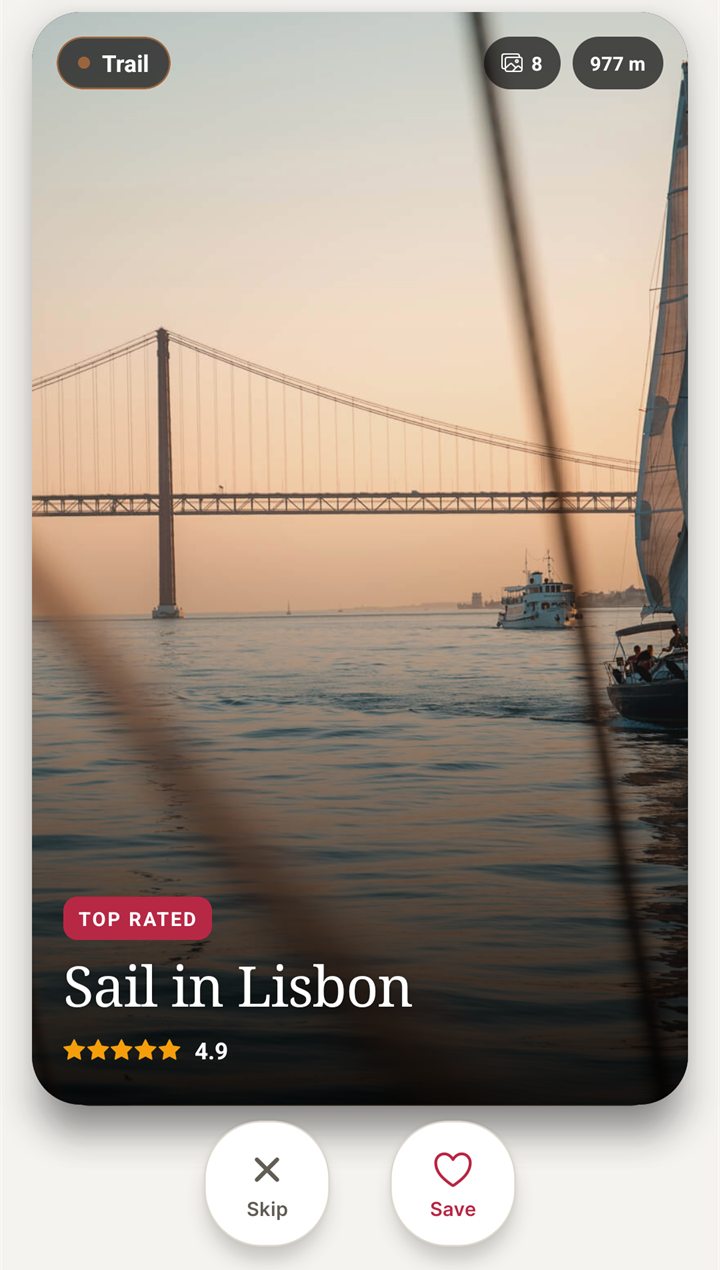
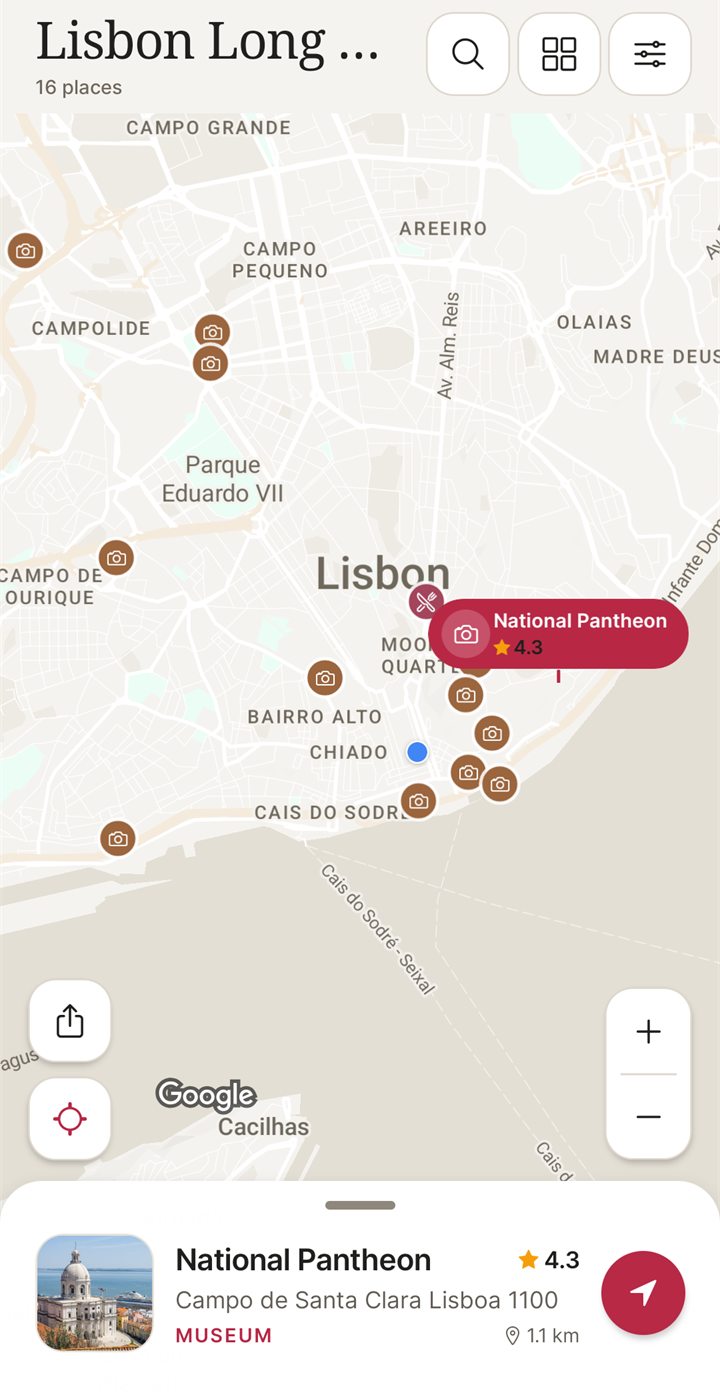
I built NomadSwipe, so weigh this section accordingly. NomadSwipe (Android) shows real places in a city as cards with category, rating, distance and opening status. You swipe right to save a place and left to skip it, and your saved places appear on a map and in a trip list that you can sort by rating, distance or A to Z. It does the part TripIt does not, and it does none of the parts TripIt does best: it does not read confirmation emails, it builds no itinerary from bookings and it sends no flight alerts. Because the two jobs differ, using both is reasonable. iPhone is coming soon.
| Job | TripIt | NomadSwipe (Android) |
|---|---|---|
| Keep flights and hotels in one itinerary | Yes, from forwarded emails | No, it does not read emails |
| Flight alerts and airport help | Yes, in Pro | No |
| Decide what to see and eat in a city | Not described on the pages I read | Yes, swipe real places and save them |
| See saved places on a map | Not covered by the pages I read | Yes |
| Price to start | Free tier; Pro $49 a year (TripIt pricing page) | Free to download; optional Premium; the starting plan is capped at 3 trips |
For the longer comparison, with five other tools and a price table, see TripIt alternatives compared. If your problem is the city rather than the bookings, how I shortlist things to do in a new city shows the method, and free itinerary planner apps lists what each tier allows.
Pair your bookings with a plan for the city
I built NomadSwipe to swipe real places in a city, save the ones you like and see them on a map. It is Android only for now.
Questions about using TripIt
How do I add a booking to TripIt?
Forward the original confirmation email to plans@tripit.com, from the email address linked to your TripIt account and from your own inbox rather than from the airline or booking site. TripIt then emails you to say whether it made a new trip or added the plan to an existing one. If you would rather not forward, TripIt's Inbox Sync works with Gmail, Yahoo and Microsoft accounts, and you can also add any plan by hand on the website or in the app.
Why is my forwarded email not showing up in TripIt?
TripIt's help lists the usual causes: the email went to support@tripit.com or another address instead of plans@tripit.com, it was forwarded from an address not linked to your main account (which makes a separate account), it was added to an existing trip with overlapping dates, it failed to process and sits in Unfiled Items, or it was sent straight from the airline or booking site. Check upcoming trips and Unfiled Items first.
How do I sync TripIt with my calendar?
Turn on the calendar feed (app: Account, Settings, Calendar Sync; website: profile icon, Settings, Calendar Feed), copy the feed URL and add it to your calendar by URL. The feed is read-only, and TripIt says refreshes take from 15 minutes to 24 hours depending on the calendar, with Google Calendar able to take up to a day.
Is TripIt a place-discovery app?
Mostly no. TripIt's own description is about organising bookings you have already made into one itinerary per trip. Its pricing page does list finding places near your hotel and transport options, but deciding what to see and eat in a city is not what its three-step explainer centres on. I built NomadSwipe (Android) for that part, and the two do different jobs.
Findings, method and sample
Sample and method. I read 7 TripIt pages on 9 November 2026, all official: the how-it-works page, the pricing page and 5 help-centre articles (adding travel plans, calendar feed setup, adding a trip on the website, failed submissions and itineraries not displaying). I took addresses, menu names, limits and prices only from them. I did not install or run TripIt, I tested no email, and I read no third-party guide, so nothing here is a measured result or a personal experience of the product. NomadSwipe facts come from the app I built and its public Google Play listing.
- One address processes confirmations: plans@tripit.com. support@tripit.com and other @tripit.com addresses do not post to your account.
- Three ways to add plans: forward an email, Inbox Sync (Gmail, Yahoo or Microsoft accounts) or manual entry on the website or in the app.
- Forwarding limits: first attachment only, up to 60 trip items per email, 5 languages (English, French, German, Japanese, Spanish).
- Overlapping dates put a new plan into an existing trip. Failed imports can sit in Unfiled Items.
- The calendar feed is read-only and refreshes in 15 minutes to 24 hours. Lotus Notes and Outlook 2013 or later are not supported.
- Pro is $49 a year on the pricing page I read. Documents per trip: 3 on the free plan, 25 on Pro.
- Not read, so not covered here: the Inbox Sync setup page, the app's add-trip flow, sharing details and any Pro trial terms.
Limits: pages and prices change, and the pricing page I read showed an annual price only, so check TripIt's site before you pay. Help articles describe what TripIt says its software does, not how reliably it does it. The comparison with NomadSwipe is between a booking organiser and a place-discovery app, so it is a difference in job, not a ranking.
Sources
- TripIt, how it works: https://www.tripit.com/learnMore (read 9 November 2026)
- TripIt, Pro pricing and plan features: https://tripit.com/es-co/web/pro/pricing (read 9 November 2026)
- TripIt help, adding travel plans: https://help.tripit.com/en/support/solutions/articles/103000063275-adding-travel-plans-to-tripit
- TripIt help, calendar feed setup and sync: https://help.tripit.com/en/support/solutions/articles/103000063280-calendar-feed-setup-and-sync
- TripIt help, add a new trip on the website: https://help.tripit.com/en/support/solutions/articles/103000063431-add-a-new-trip-on-the-tripit-website
- TripIt help, problems with a submission to plans@tripit.com: https://help.tripit.com/support/solutions/articles/103000063327
- TripIt help, itinerary not displaying in account: https://help.tripit.com/en/support/solutions/articles/103000063312-itinerary-not-displaying-in-account
- NomadSwipe facts: the public Google Play listing of NomadSwipe: Trip Planner (cards, swipe, save, map, plan limits), as recorded in the project's play-listing notes, checked 2 November 2026.