 NomadSwipe
How to use Wanderlog: a step-by-step guide
How does Wanderlog work? You start a trip, add places to lists or days, and Wanderlog pins them on a map, works out travel time between stops and keeps your times, notes, bookings and budget in one plan. Its help center marks route optimization and offline downloads as Pro; the other steps carry no Pro label. The nine steps below follow that order.
How Wanderlog works in one view
Wanderlog is a trip planner with an app and a browser planner. Per its plan a trip page, you start planning, get place recommendations ranked using Tripadvisor and Google traveler reviews, build an itinerary by day or category, see it on a map with distance and time between stops, then invite trip mates and track spending. Its help center says the app is available on iOS and Android and the plan works in a browser too. Two checks before you start: what needs Pro and the offline wording, because the sources do not agree.
Nine steps to plan a trip in Wanderlog
The help articles I read are all dated March 2023, so a button name may have moved. The order of the steps is what matters.
1. Start a trip and set the dates.
Press the Start planning button on the plan a trip page. Wanderlog keeps dates, destinations, reservations and activities in one place. If your dates move, its help center has an article for changing a trip's dates (titled "Change dates of a trip", which I did not open).
2. Open Explore and add places.
The Explore tab in a trip holds travel guides from well-known publications and blogs, guides made by other Wanderlog users, the best-known places in a category such as cheap eats, brunch or rooftop bars, and must-visit stops along the way to another city (Explore travel guides). In the app, tap Add next to a place and it goes to the most recently edited list or day; tap Change in the banner to send it to other lists or days. On the web the button reads Add to trip (Add a place from a guide).
3. Check the map.
The App Store listing says every place you add is immediately pinned on a Google Maps-based travel map. To simplify it, open the layers button on the map and tick or untick a list or day to show or hide its pins (Hide lists or days on map).
4. Move places into days.
Lists are where places wait; days are where they get a date. Choosing a day when you add a place (the Change banner in step 2) puts it on that day. Wanderlog's help center has separate articles on moving a place, moving a list and moving or deleting several places at once (titles read, not opened).
5. Add times and check travel between stops.
Tap a place and use Add time to set start and end times (Add time to a place). Between stops the itinerary shows the travel time and distance, and you can switch between driving, walking and public transit by tapping it (See time and distance between places). A Directions button next to it opens the leg in Google Maps, or Apple Maps or another map app in the mobile app (Open directions).
6. Optimize a day's route.Pro
Per the Optimize route article, Pro members can have the app arrange one day to save the most travel time and gas. Add places to a single day, press Optimize route below the date (right of the date on the web), pick a start and end point or choose Auto-suggest, then confirm. A banner shows what changed and lets you revert. It works on one day at a time.
7. Add bookings and notes.
Under Reservations and attachments, tap the flights, lodging or rental car icon, choose Forward email, and forward your confirmations to the unique address shown; the details are imported into the plan (forwarding an email). Notes can sit in a general Notes section or under any place (Add notes).
8. Share the plan and set a budget.
Tap Share in the app (the add-a-person button on the web) to send an invite by email or message and set whether people can only view or can edit (Wanderlog help: sharing a trip). For money, open the $ tab and choose Set a budget to compare your estimated cost against it (Set a budget).
9. Get the plan ready for no signal.Pro per help center
The help center says Pro members can save a trip plan in the iOS or Android app: open the trip, wait for it to finish loading, and it downloads automatically; a download icon next to the trip on the Profile tab confirms it, and notes, places and attachments are then available without internet (Download trip plan for offline access). Pro members can also download an unlimited number of travel guides from the app's Explore tab (Download guides). The U.S. App Store listing words it differently, saying all your plans are automatically stored offline, so test it before you fly.
What is free and what needs Pro
Wanderlog's help center says the website and app stay free for as many trips as you want to plan, and that it will never restrict the number of trips or the number of people you plan with; Pro adds premium power-user features (Is Wanderlog free?). The table separates what each source says.
| Feature | Tier according to | Source |
|---|---|---|
| Number of trips and people | No limit on either, per its help center | Help: Is Wanderlog free? |
| Add places from guides, map pins, time and distance between stops, notes, sharing, budget | Described without a Pro label | The help articles linked in steps 2 to 5, 7 and 8 |
| Optimize route (one day at a time) | Pro | Help: Optimize route |
| Download trip plan and guides for offline access | Pro | Help: offline plan, Help: Download the app |
| Offline storage of plans | Listing says automatic, no Pro label | U.S. App Store listing |
| Export to Google Maps, link Gmail | Pro | U.S. App Store listing |
Pro price. The same U.S. App Store listing, read on 9 November 2026, shows Wanderlog Pro in-app purchases as annual plans at $31.99, $39.99, $49.99 and $59.99 and monthly plans at $5.99 and $16.99. Which one you see depends on the offer in front of you, so check the price in the app before you subscribe. Wanderlog says it earns a small percentage from bookings made through the app and from Pro, and shows no ads (How does Wanderlog make money?).
Where beginners get stuck
- Lists versus days. They are separate: you show or hide each on the map, and times and travel legs belong to the itinerary days. If you want a time on a place, put it on a day first.
- Add goes somewhere you may not expect. A tapped Add lands in the most recently edited list or day, so check the banner and use Change before adding five places in a row.
- Optimize works on one day. It rearranges a single day, not the whole trip, and you can revert from the banner.
- Offline needs a plan. Per the help center, open the trip on a connection and wait for the download icon before you lose signal.
- Travel time estimates can be missing. The help center has a separate article titled "Travel time estimates not accurate or not available", so do not treat the minutes as exact.
If you are still choosing between planners, compare five Wanderlog alternatives and what each one costs, or see nine trip planner apps compared for 2026.
When NomadSwipe fits instead
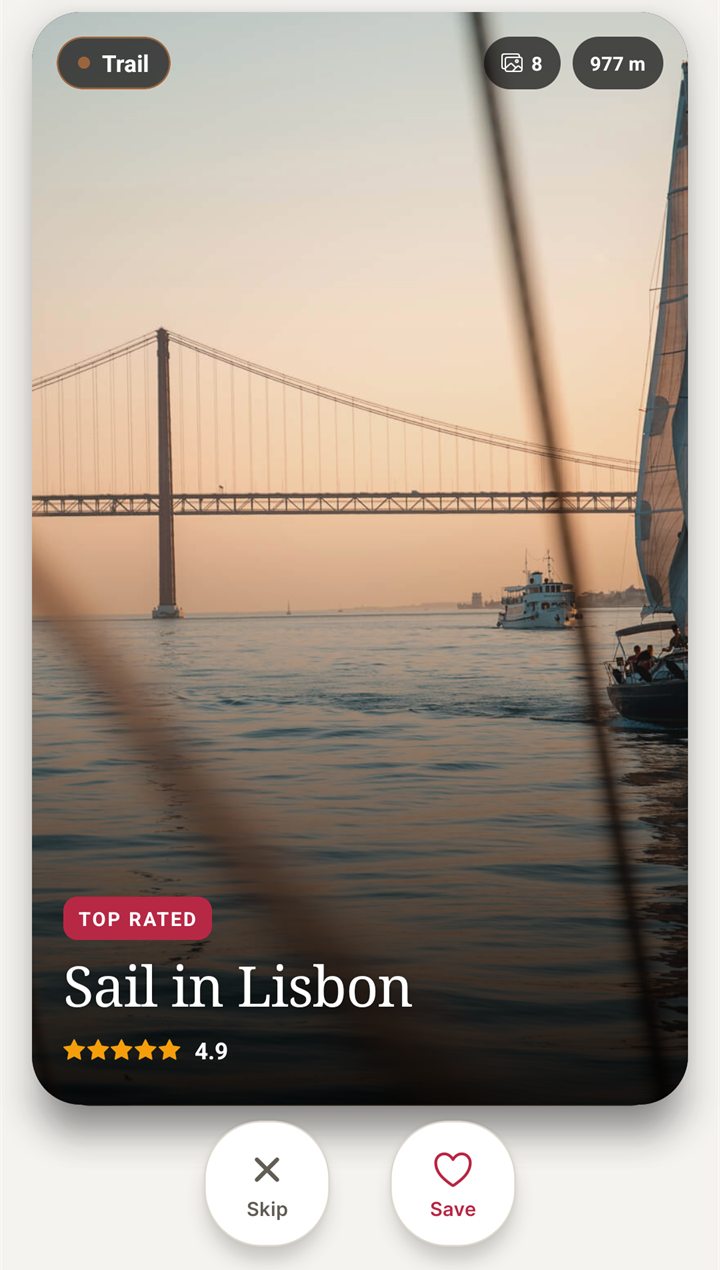
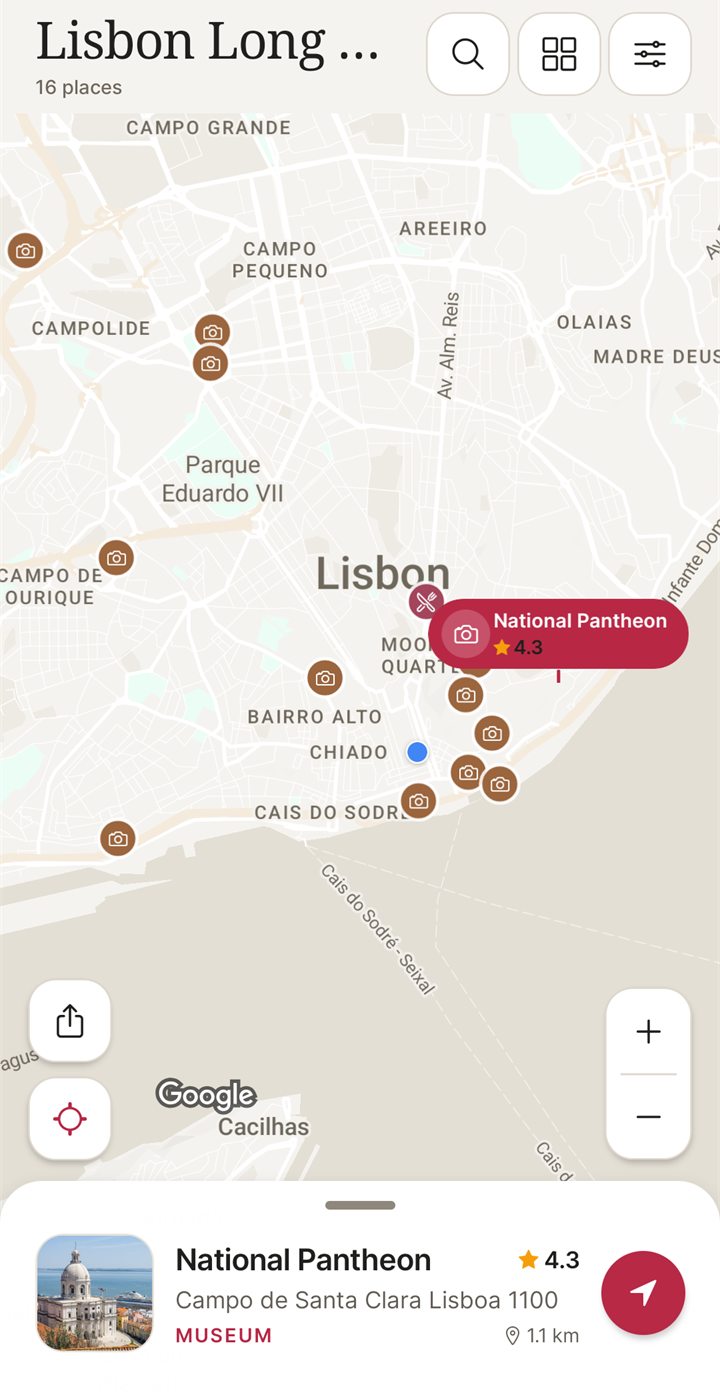
I built NomadSwipe, so I have an interest here, and I am comparing it with Wanderlog's planning depth, not claiming to match it. NomadSwipe (Android) deals real places in a city as cards showing category, rating, distance and opening status. You swipe right to save and left to skip, and the saved places appear in your trip and on a map. You can rank food, sights, bars and stays so the deck follows what you care about, sort the saved list by rating, distance or A to Z, and add custom pins such as your hotel. iPhone is coming soon.
| Job | Wanderlog | NomadSwipe |
|---|---|---|
| Find places | Browse Explore guides and category lists, then tap Add | Swipe through real places one card at a time |
| See them on a map | Every added place is pinned; show or hide lists and days | Saved places are pinned on a map |
| Build day by day | Itinerary with times and travel legs | No timed itinerary; you build a trip from saved places |
| Bookings, budget, route optimizer, shared editing | Yes (route optimizer is Pro) | Not listed |
| Offline | Pro per help center; listing wording differs | Up to 20 saved trips available offline after you open them online; copies expire |
| Free tier | Unlimited trips and people | 3 trips, 2 searched places saved to a trip a month, 2 custom pins a month and a daily limit on saves |
| Platforms | iOS, Android and the web | Android |
- NomadSwipe fits if your hard part is deciding what to see and eat in a city, you want fewer screens than Wanderlog's step 2 to step 4, and you are on Android.
- Stay with Wanderlog if you plan with other people, need booking emails in the plan, want a budget or an optimized route, or want a browser planner. NomadSwipe does none of these.
- Use both if you like: swipe in NomadSwipe to build a shortlist, then re-add the places you picked in Wanderlog. NomadSwipe has no import or export, so that step is manual.
For the swipe method on a real city, see how many days you need in Budapest, counted from the app's data and how I shortlist things to do in a new city.
Try the swipe-first way to pick places
I built NomadSwipe to swipe real places in a city, save the ones you like and see them on a map. It is Android only for now, and iPhone is coming soon.
Questions about using Wanderlog
How does Wanderlog work?
You start a trip, add places to lists or to days, and Wanderlog pins every place on a map and works out travel time between stops. You can then add times and notes, forward booking emails to a trip address, invite people to view or edit, and set a budget. Route optimization and offline access to your plan are marked as Pro features on its help pages.
Is Wanderlog free to use?
Mostly. Wanderlog's help center says the website and app stay free for as many trips as you want, with a paid Pro tier for some power-user features. The same help center lists route optimization, downloading a trip plan for offline access and downloading guides as Pro features.
Does Wanderlog work offline?
Its sources disagree. The help center says downloading a trip plan for offline access is a Pro feature, while the U.S. App Store listing says all your plans are automatically stored offline. Open the trip while you still have signal and test it on your own phone before you travel.
How do I add places to a Wanderlog trip?
Open the Explore tab to browse travel guides, then tap Add next to a place. In the app it goes to the most recently edited list or day, and you can tap Change to pick other lists or days. On the web the button reads Add to trip.
Is there a simpler way to pick places than Wanderlog?
If your main job is deciding what to see in a city, NomadSwipe (Android) deals real places one card at a time. You swipe right to save and left to skip, then see the saved places on a map. It has no booking import, budgets, route optimizer or shared editing, so it suits the choosing step rather than the whole plan. I built NomadSwipe.
Findings, method and sample
Sample and method. On 9 November 2026 I read 16 articles in Wanderlog's help center (help.wanderlog.com), its plan a trip page and the U.S. App Store listing for the Wanderlog app. I did not install or test Wanderlog, so every step describes what its pages say, not what I saw on screen. The help articles I opened do not walk through creating a trip or adding a place by search, so steps 1 and 4 rest on the plan a trip page, the Explore articles and article titles only, and I say where I did not open an article. The Pro price comes from the App Store listing's in-app purchase list. I could not read the Pro page's pricing: wanderlog.com/pricing returned HTTP 404 and wanderlog.com/pro showed no plan details. The Google Play listing did not load its description for me, so I used no Play facts.
- 16 help articles read; all are dated March 2023 on the page, so interface wording may have changed since.
- 4 of the 16 mention Pro: Optimize route, Download trip plan for offline access, Download guides for offline reading, and Download the app (which calls storing a plan and documents offline a Pro feature).
- Route optimization works on a single day at a time and needs Pro, per its help article.
- Offline is contradicted across sources: help center says Pro; the U.S. App Store listing says all plans are automatically stored offline.
- The U.S. App Store listing shows Pro annual plans at $31.99, $39.99, $49.99 and $59.99 and monthly plans at $5.99 and $16.99.
- Wanderlog's help center promises unlimited trips and unlimited people in the free tier.
Limits: the help articles are older than this page, prices differ by storefront and offer, and I did not hand-test any step. The NomadSwipe column uses my own Google Play listing as checked on 2 November 2026 and carries no numbers beyond what that listing states.
Sources
- Wanderlog plan a trip page: wanderlog.com/plan-a-trip, read 9 November 2026.
- Wanderlog U.S. App Store listing: apps.apple.com/app/id1476732439, read 9 November 2026.
- Wanderlog help center articles read 9 November 2026: Is Wanderlog free?, How does Wanderlog make money?, Download the app, Download trip plan for offline access, Download guides for offline reading, Optimize route, Explore travel guides, Add a place from a guide, Hide lists or days on map, Add time to a place, See time and distance between places, Open directions to next stop, Add details by forwarding an email, Add notes, Share a trip, Set a budget.
- NomadSwipe facts: the public Google Play listing of NomadSwipe: Trip Planner (swipe, save, map, plan limits, offline), as recorded in the project's play-listing notes, checked 2 November 2026.