 NomadSwipe
Travel bucket list app: how to keep a list of real places
A travel bucket list works when every entry is a real place with a spot on a map, not a country or a mood. In the NomadSwipe app's data, all 76,526 distinct places have coordinates, so each can be pinned, sorted into a city and turned into a trip later.
Keep the list in 6 steps
These steps work in any tool. The rules of thumb are mine, and I say so where they are.
-
Write places, not countries.
"See Japan" cannot be pinned, planned or checked off. "Fushimi Inari Taisha" can. If a dream is bigger than a place, split it until each line has a name you could type into a map.
-
Keep one home for the list.
A bucket list scattered across a notes app, screenshots and open tabs is the usual failure. Pick one place to keep it, even if it is not the best tool. Moving everything later costs less than searching five places before every trip.
-
Store a location, not only a name.
A name in a text note is just text. Saving from a map or a place card stores the position, which is what lets you see later that three entries sit in the same neighbourhood.
-
Add one line on why.
Months later, a bare place name tells you little, while "go early, mosaic bench" tells you why you saved it. Google's help page says people who can view a list see who added or edited places and notes, so notes on saved places exist there, and most notes apps are built for this line.
-
Sort by city when a trip gets close.
A lifetime list is too long to plan from. When you book a flight, pull out only the entries in that city or region and treat them as the start of a trip. This is where a map view earns its place. For turning those pins into days, read how to plan a trip on a map.
-
Review before you go.
Places close, move or open on fewer days. Hours are stored for 63% of the places in the NomadSwipe data, so for the rest you have to check the place's own page. Do that the week before you travel, as in step 7 of how to find things to do in a new city.
How the NomadSwipe flow works
I built NomadSwipe (Android) around four steps: swipe, save, map, go. For a bucket list, the first two do the collecting and the third gives you the overview.
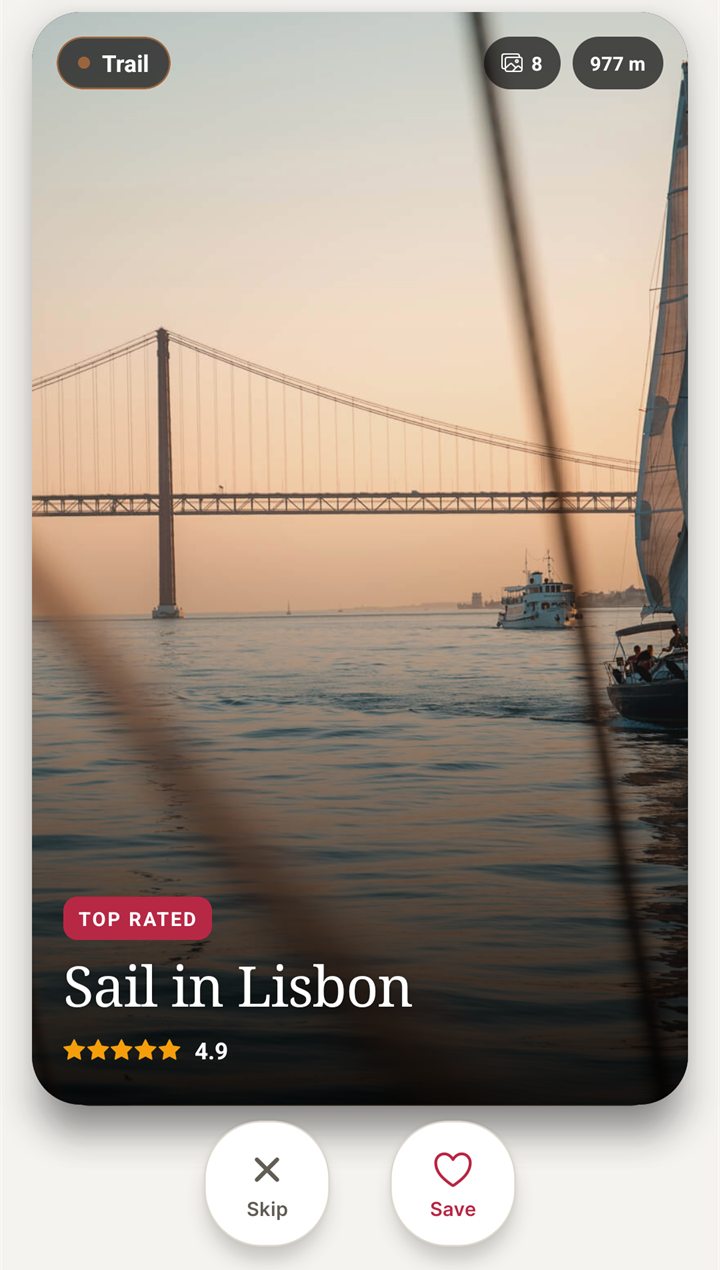
- Swipe. Search a destination and you get a deck of real places nearby: sights, food, museums, nights out. Each card shows the category, rating, distance and whether the place is open now. Swipe right or tap Save to keep it, swipe left or tap Skip to pass.
- Save. A saved place goes into your trip. If the place you want is not on the cards, a custom pin adds it.
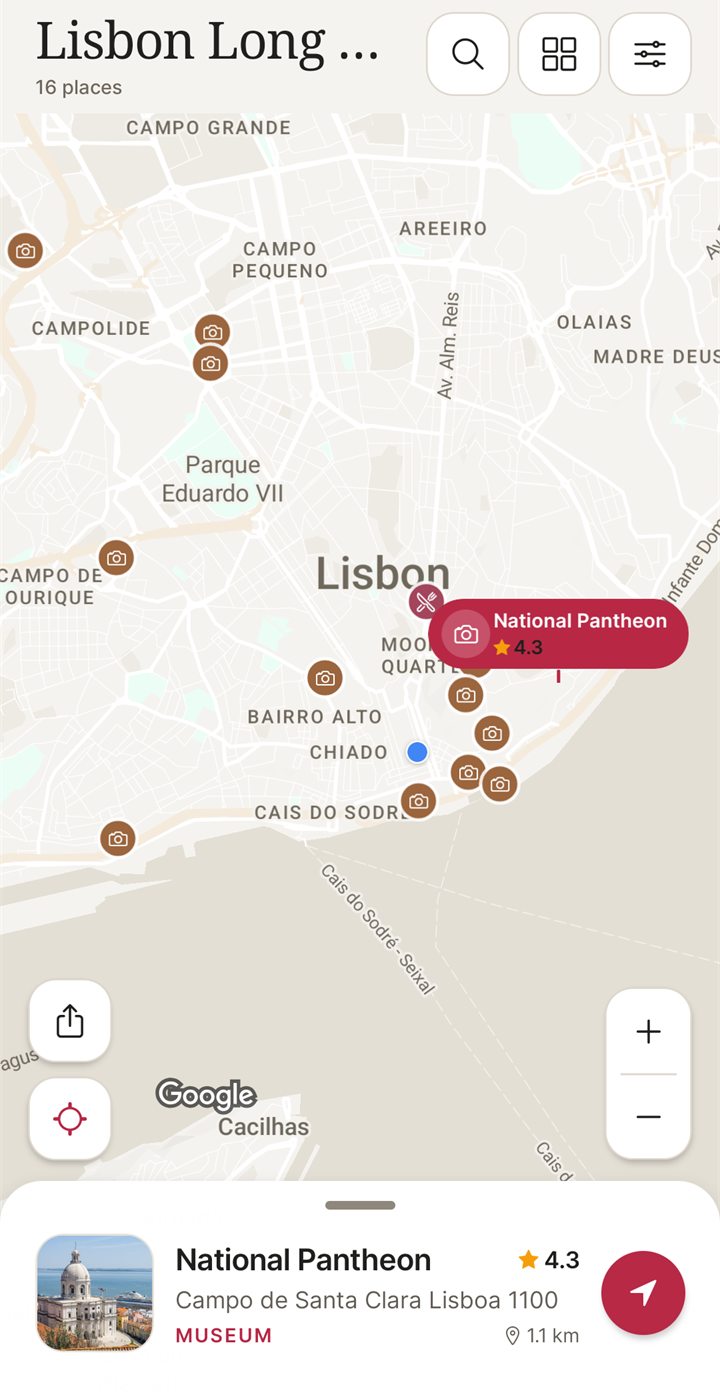
- Map. The trip opens as a map with every saved place pinned. A list view sorts by rating, distance or A to Z.
- Build a trip. Because saved places live in a trip, the bucket list for a city is already the start of its plan. You then plan each day around the map yourself, since the app does not write an itinerary.
Limits, stated plainly. Saves are kept inside trips, so NomadSwipe suits a list for one city or region better than a single list of every place you hope to see in your life. The plan without Premium holds 3 trips, 2 searched places saved to a trip a month and 2 custom pins a month, with a daily limit on saves. Up to 20 saved trips are available offline after you open them online. I did not test exporting a list out of any app on this page, so check that before you commit years of saving to one tool.
Four ways to keep the list, compared
The table uses facts I read on the cited pages on 6 November 2026. Where a page does not say something, the cell says it does not.
| Option | What an entry is | Map | Trip step | What the source does not say |
|---|---|---|---|---|
| Notes app | Text you type. A place name is not a location until you look it up. | None of its own | You build it by hand | No source read; this is how plain text works |
| Google Maps lists | A saved place in a named list. Default lists are Favorites, Want to go, Starred places, Labeled and Travel plans. | For a list saved from someone else, places appear on your main map unless you hide the list | A list is a set of places; the page describes no days or trip view | No list size limit and no offline use are mentioned |
| Wanderlog | Places added to an itinerary, plus "Checklists for anything". Its homepage says "Add places from guides with 1 click". | "Your itinerary and your map in one view" | "Create detailed itineraries"; flight and hotel reservations can be imported | No prices on the homepage; the Offline access tab has no description |
| NomadSwipe | A real place you swiped right on, saved inside a trip | Trip map with every saved place pinned | Saved places are the trip; you plan the days yourself | Android only for now; I did not test export |
On Google Maps, Google's help page says a list is Private ("Only you can view and edit") or Shared ("Share a link to view or edit"). If you already keep want-to-go places there, the honest answer is to stay. The longer comparison is in Google Maps lists alternatives, and how to save places in Google Maps for a trip covers the steps.
Wanderlog is the bigger tool: its homepage headline is "One app for all your travel planning needs", and the page shows both App Store and Google Play badges. It is built around itineraries and bookings, so a pure wish list is a small part of it. One reviewer quoted on the homepage writes "create a bucket list of places to visit"; that is a customer's words, not a feature name. See Wanderlog alternatives for the head-to-head. For other apps that start from swiping, see swipe travel apps.
What to look for in a travel bucket list app
Real places with coordinates.
A pin only works if the place has a position. Check that an entry is a place on a map, not a free-text line.Facts on the entry.
Rating, hours and a website on each card save you a search later. They are not complete anywhere: in the NomadSwipe data a quarter of places have no rating, so do not drop an entry because a number is missing.A map overview.
The main reason to use an app over a note is seeing which places cluster.A way to turn the list into a trip.
A list you never plan from is a wish list. Check how saved places become days, or whether you do it yourself.Plan limits you can live with.
Read the caps before saving a hundred places. Caps differ by tool and I only checked NomadSwipe's own.A route out.
Look for export or a way to move the list. I did not verify this for any of the four.
Questions about travel bucket list apps
What is the best way to keep a travel bucket list?
Keep one list of real places, not countries. Give each entry a pin on a map and one line on why you want it, then sort entries by city when a trip gets close. A notes app, a Google Maps list or a travel app can all do this, so pick the one you already open.
Should I use a notes app or a map for my travel bucket list?
Use a map if you want to see which places sit close together. A note holds whatever you type, but a place name in text is not a location until you look it up. A map list stores the location when you save the place.
Can I keep a travel bucket list in Google Maps?
Yes. Google's help page says you create a list from the You tab with Save and New list, and Maps provides default lists such as Want to go and Travel plans. The page does not state a list size limit and does not mention offline use.
Is NomadSwipe a travel bucket list app?
Partly. I built NomadSwipe to swipe real places, save them and see them on a map. Saved places live inside a trip, so it suits a bucket list for one city or region better than a lifetime list across thirty cities.
Is NomadSwipe available on iPhone?
Not yet. NomadSwipe is Android only today, on Google Play, and iPhone is coming soon.
Start the list with one city
I built NomadSwipe to swipe real places in a city, save the ones you like and see them on a map. It is Android only for now, and iPhone is coming soon.
Findings, method and sample
Sample and method. On 6 November 2026 I ran one read-only query on the NomadSwipe app's place data. I counted distinct stored Google place IDs across all destinations except those typed in by users (country "Custom"). The sample is 76,526 distinct places across 615 destination names. I then counted how many carry each field. I read two outside pages the same day, listed under Sources. I did not install or test Wanderlog or Google Maps for this page, and I tested no export.
- All 76,526 places (100%) have coordinates, and 76,462 (99.9%) have an address.
- 57,206 (75%) have a stored rating, and 52,623 (69%) have at least one review.
- 48,286 (63%) have weekly opening hours, so 37% have none to check.
- 67,296 (88%) have a website.
- Only 6,521 (8.5%) have a price level, so price is the least reliable field.
- The places span 493 distinct stored category names.
- Google Maps: the lists help page names five default lists and two privacy settings, and says nothing about a list size limit or offline use. Wanderlog: its homepage lists itineraries, a map view, checklists, one-click adds from guides and reservation import, and shows no prices.
Limits: the data is a snapshot of what the app has stored, not of every place in the world. A destination can appear under more than one name, so 615 is a count of names, not cities. Stored ratings and hours may have changed since they were collected. Wanderlog's homepage text is long and I read its first 100,000 of about 134,500 characters, so a feature in the unread part may be missing here.
Sources
- Place data: the NomadSwipe app's stored places (coordinates, ratings, review counts, hours, websites, price levels), read 6 November 2026.
- Google Maps Help, create and share lists: https://support.google.com/maps/answer/7280933 (read 6 November 2026)
- Wanderlog homepage: https://wanderlog.com/ (read 6 November 2026)