 NomadSwipe
How to use the Citymapper app in 5 steps
How to use the Citymapper app: install it, set your city, enter where you are going and compare the routes it lists across bus, train, subway, bike and walking. Pick one, tap GO for step-by-step directions, then save Home, Work and favourite stops. Citymapper plans how to get somewhere. It does not suggest places to visit.
The 5 steps at a glance
| Step | What you do | Where Citymapper says so |
|---|---|---|
| 1. Set city and plan | Check your city, then search where you want to go | Help page: Settings icon, then City. Listings: combines bus, subway, train, ferry, cabs, bike share, e-scooters and walking |
| 2. Pick a route | Compare results, tap the sparkle for "Best for you", or re-rank by speed or price | News posts on the AI route pick and the former CLUB features |
| 3. Tap GO | Follow the trip step by step | Listings: "Hit the GO button for step-by-step directions" |
| 4. Save places | Save Home and Work, and star stops and lines | Help page: three dots next to Get Me Somewhere, then Edit Work/Home; star at the top of a stop or line page |
| 5. Know the limits | Check coverage, offline use and ads | Listings and help pages below |
What Citymapper is, from its own pages
Citymapper's homepage calls it a transport app and gives its tagline as "Making Cities Usable", for iPhone and Android. Its Apple listing names it "Citymapper: All Live Transit", from Citymapper Limited, and opens with "Instantly compare your travel options in real-time across all transport modes". The Google Play listing opens the same way.
| Item | Apple listing | Google Play listing |
|---|---|---|
| Version and update | 11.54.1, released 9 November 2026 | Updated 4 November 2026 |
| Price shown | $0 | Contains ads and in-app purchases |
| Scale | 4.86 average from 110,772 ratings | 10M+ downloads, 4.8 stars |
Step by step
-
1. Set your city, then search where you want to go.
Citymapper works city by city. Its help page says that if the app thinks you are in the wrong city, you tap the Settings icon in the top-left corner of the home screen and choose "City", where it says you can pick from "over 100+" cities to virtually travel to. Then you enter your destination. The store listings describe the result as simple trip planning that combines bus, subway, train, ferry, cabs, ride share, car share, bike share, e-scooters and walking. The listings also say it shows live wait times and ETAs for buses, trains and ferries.
-
2. Pick a route.
Citymapper's news post on its AI feature says that when you plan a journey you can tap the sparkle to get "Best for you": the top two routes with an AI-written summary of why they were chosen, weighing speed, price, simplicity, physical effort and risk of disruption. The same post says a Preferences button at the top right lets you turn the personalisation off or change the priorities, and buttons under the selection tailor routes toward faster or cheaper. A separate post says the features once reserved for its CLUB subscription are now available to all users, including more routes (Mixed, Walk Less, Simple, more bus or more train) and ranking by speed or price, and that step-free routes are always free. Both posts are undated on the page, so menu names may have changed.
-
3. Tap GO.
Both listings describe GO as step-by-step directions for transit, walking, cycling and scooter trips, with a choice of 3 map views. Citymapper's launch post for GO says it breaks the journey into steps (walk to the next stop, wait for the next departure, get off at the next stop) and shows the step most relevant to you, and that turning on notifications makes it alert you at the right moment. A later post says voice instructions are now available to all, designed for walking, cycling, scooting and public transport, and that on iPhone you can follow a GO trip from the lock screen. The Play listing adds that GO shows its information on a Wear OS watch.
-
4. Save Home, Work and favourite stops.
The help page gives the exact route: tap the three dots next to Get Me Somewhere, choose Edit Work/Home, and set the address. It warns that a home or work address cannot be erased once created, only changed. To keep a bus stop, metro station or line, tap the star at the top of its page and it is saved on the homepage. The listings add that you can subscribe to a subway, train, bus or ferry line for disruption, delay and status alerts, and share a live trip so friends can follow your arrival.
-
5. Know the limits before you rely on it.
Coverage: the homepage says "All the major transit cities of the world", and both listings name 26 US cities and "many more worldwide", with the full list and a vote for the next city at citymapper.com/cities. If you get no results, Citymapper's FAQ lists causes such as searching when transit is not running, being too far from a station, or being in an area where not every agency is supported. Offline: the listings say you can open official maps offline for named cities (the NYC subway, DC metro and Muni Metro among them), and an older news post says a starred journey is saved offline and metro departures work offline. Live data and routing still depend on a connection. Ads and subscription: the Play listing says it contains ads, and the CLUB post says an ad-free version was priced at £1.49 a month when posted. I found no price on the listings, so check in the app.
Where Citymapper stops
Read the pages in order and every feature starts from a destination you already chose: routes, live times, directions, alerts, saved Home and Work. Citymapper's FAQ states its purpose as having data about "using your city" on your phone so you can focus on experiencing it. Nothing I read describes browsing or ranking places worth visiting, and its listings do not claim it does. That is a strength for commuting and for moving between sights in a city it covers. It leaves the earlier question, which sights, restaurants and bars to go to, to another tool.
Citymapper for getting around, NomadSwipe for deciding where to go
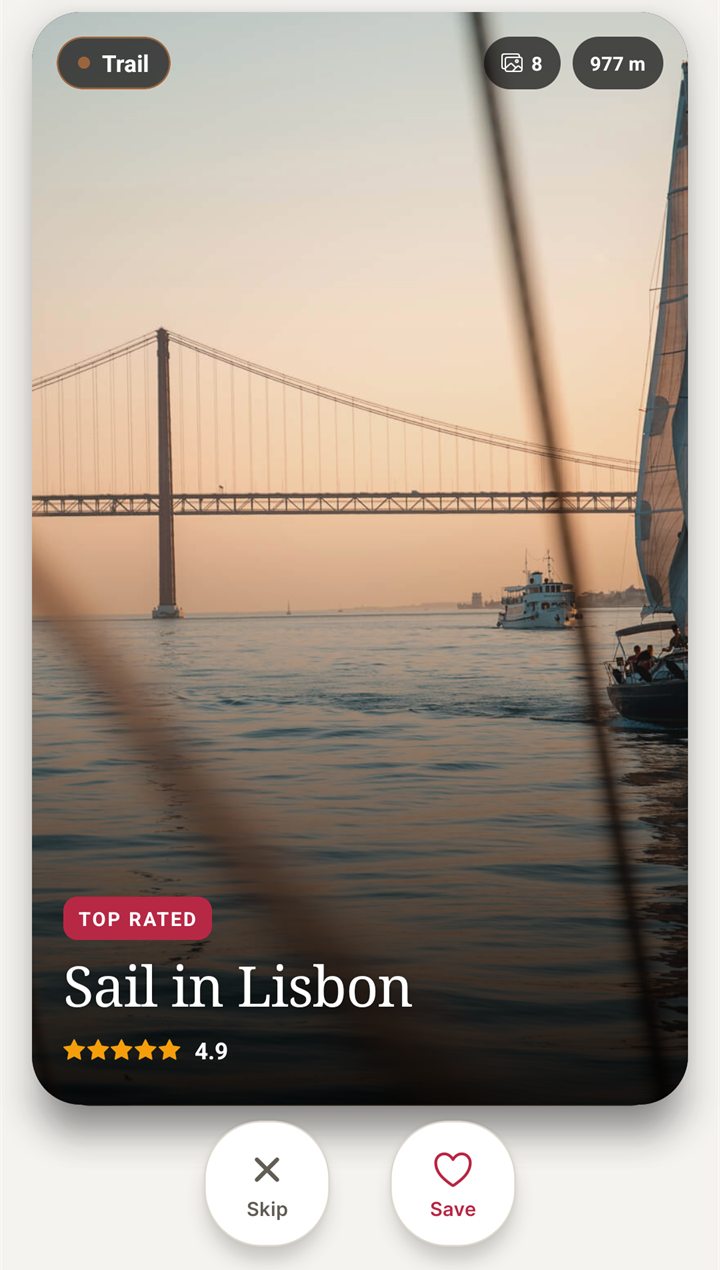
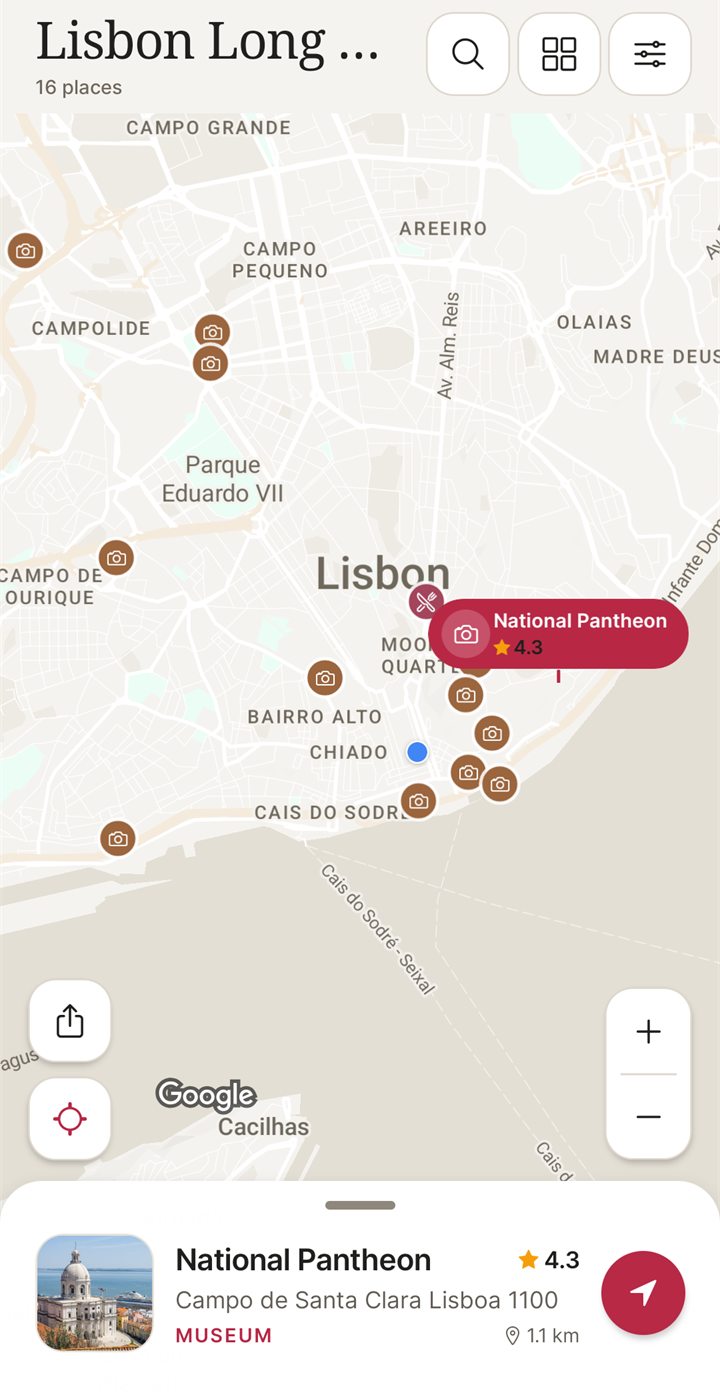
I built NomadSwipe, so weigh this section accordingly. NomadSwipe (Android) shows real places in a city as cards with category, rating, distance and opening status. You swipe right to save a place and left to skip it, and your saved places appear on a map and in a trip list you can sort by rating, distance or A to Z. It is not a transit or routing app: it gives no bus times, no step-by-step directions and no route comparison, which is exactly what Citymapper does. A sensible split is to decide where to go in NomadSwipe, then use Citymapper to get between the stops in a city it covers. iPhone is coming soon.
| Job | Citymapper | NomadSwipe (Android) |
|---|---|---|
| Compare routes and live transit times | Yes | No, it is not a transit app |
| Step-by-step directions to a stop | Yes, with GO | No |
| Decide what to see and eat in a city | Not described on the pages I read | Yes, swipe real places and save them |
| See saved places on a map | Saved Home, Work, stops and lines; no place-discovery map described | Yes |
| Coverage | Cities it supports, with a vote for new ones | Search a destination; no transit coverage to check |
For more on the deciding half, how I shortlist things to do in a new city shows the method, and planning a weekend city break walks through a short trip. If you want a tool that keeps the whole trip in one place, the best trip planner apps compared covers the options, and the same step-by-step format is used in how to use Wanderlog and how to use TripIt.
Pair your routes with a plan for the city
I built NomadSwipe to swipe real places in a city, save the ones you like and see them on a map. It is Android only for now.
Questions about using Citymapper
How do I use the Citymapper app?
Pick your city, enter where you want to go and compare the routes it lists across bus, train, subway, bike share, scooter and walking. Choose one and tap GO for step-by-step directions. Citymapper's own store listings also describe saving Home, Work and favourite stops so repeat trips plan faster.
How do I save my home and work address in Citymapper?
Citymapper's help page says to tap the three dots next to Get Me Somewhere and choose Edit Work/Home. It adds that a saved home or work address cannot be erased once created, only changed. To save a bus stop, metro station or line, tap the star at the top of its page and it is saved on the homepage.
Does Citymapper work offline?
Partly, according to Citymapper. Its Apple and Google Play listings describe offline access to official maps for named cities such as the NYC subway, and an older Citymapper news post says a starred journey is saved offline and that metro departures work offline. Live data needs a connection, and I did not test any of it.
Is Citymapper available in my city?
Citymapper's homepage says it covers all the major transit cities of the world, and its help page says the city list in Settings has over 100 cities. Both store listings name 26 US cities and say there are many more worldwide, with the full list and a vote for the next city at citymapper.com/cities. If your city is missing, voting is the route Citymapper offers.
Can Citymapper tell me where to go in a city?
Not as described on its pages. Citymapper's listings and help pages are about getting from one place to another: routes, live times, directions and alerts. It does not describe browsing or ranking things to do. I built NomadSwipe (Android) for the deciding part, and the two do different jobs.
Bottom line
To use the Citymapper app, set your city, search a destination, pick a route, tap GO and save Home and Work, as Citymapper's own pages describe it. It is built for getting from A to B in cities it covers, so it answers how to get there, not where to go. Use it for the first and a place-discovery app for the second.
Findings, method and sample
Sample and method. I read 9 Citymapper pages on 10 November 2026, all official: the homepage, the profile-settings help page, the FAQ, four news posts (GO, offline support, the CLUB features post and the AI route post) and the Apple and Google Play listings. I took menu names, features, city lists and prices only from them. I did not install or run Citymapper, so nothing here is a measured result or a personal experience of the product. I could not read citymapper.com/cities, which loads its list with script, so the coverage statements come from the homepage, the help page and the listings. NomadSwipe facts come from the app I built and its public Google Play listing.
- Citymapper's homepage tagline is "Making Cities Usable"; it covers iPhone and Android and says "All the major transit cities of the world".
- The Apple listing showed version 11.54.1 released 9 November 2026, a price of $0 and 4.86 from 110,772 ratings; the Play listing showed 10M+ downloads, 4.8 stars, ads and in-app purchases, updated 4 November 2026.
- Home and Work are set under the three dots next to Get Me Somewhere, then Edit Work/Home, and cannot be erased once created.
- GO breaks a trip into steps; the listings describe turn-by-turn navigation for transit, walking, cycling and scooter trips.
- The former CLUB features, including voice instructions and extra route types, are stated to be available to all users in an undated post that also gives an ad-free price of £1.49 a month.
- Not read, so not covered here: in-app screens and menus, the cities list page, any current subscription price and how reliably any feature works.
Limits: the news and help pages are undated on the page, and some are old, so menu names and prices may have changed. Listings describe what Citymapper says its app does, not how reliably it does it. The comparison with NomadSwipe is between a transit planner and a place-discovery app, so it is a difference in job, not a ranking.
Sources
- Citymapper homepage: https://citymapper.com/ (read 10 November 2026)
- Citymapper Apple listing data: https://itunes.apple.com/lookup?id=469463298&country=us (read 10 November 2026)
- Citymapper Google Play listing: https://play.google.com/store/apps/details?id=com.citymapper.app.release&hl=en&gl=US (read 10 November 2026)
- Citymapper help, profile settings: https://citymapper.com/news/2397/terms
- Citymapper FAQ: https://citymapper.com/news/140/frequently-asked-questions
- Citymapper news, GO: https://citymapper.com/news/597/go-your-personal-trip-assistant
- Citymapper news, offline support: https://citymapper.com/news/1282/offline-support
- Citymapper news, CLUB features available to all: https://citymapper.com/news/2589/citymapper-club-features-are-now-available-to-all
- Citymapper news, AI route pick: https://citymapper.com/news/2838/citymapper-now-uses-ai-powers-to-help-you-choose-the-best-route
- NomadSwipe facts: the public Google Play listing of NomadSwipe: Trip Planner (cards, swipe, save, map), as recorded in the project's play-listing notes, checked 2 November 2026.