
Sé de Lisboa
Lisbon's cathedral, with two crenellated towers and a rose window over the street.
 NomadSwipe
An Android trip planner for any city. Swipe real places, save the ones you like, and plan your trip on one map. Trips you open online stay viewable offline.
NomadSwipe is Android only today, not on iPhone yet. Email privacy@nomadswipe.com to hear the day the iPhone version is live, or swipe 6 Lisbon places right here.
Free on Android. Premium is optional. iPhone is coming soon.
NomadSwipe turns trip planning into a few minutes of swiping. The screens on this page come from a real trip planned that way: a long weekend in Lisbon, 16 places, every one of them swiped. The store listing's sample trip is a long weekend in New York, also 16 places.
Open NomadSwipe in any city and you get a deck of real places nearby: sights, food, museums, nights out. Swipe right or tap Save to keep one, swipe left or tap Skip to pass. Each card shows the category, rating, distance and whether it is open now.
Every place you save goes straight into your trip, so the shortlist builds itself while you browse. The card tells you enough to decide: the Oceanário de Lisboa, for example, is rated 4.5 and open until 7 PM.
Your trip opens as a map with every saved place pinned, so you can see what sits close together and plan each day by neighbourhood. Prefer a list? Sort it by rating, distance or A to Z.
Tap any place for its photos, then get directions, open the website or call ahead. Trips you have opened online stay viewable offline: up to 20 saved trips, and offline copies expire.
A demo deck of six Lisbon places. Swipe right or tap Save to keep one, left or Skip to pass. Nothing here is saved to an account.
Lisbon's cathedral, with two crenellated towers and a rose window over the street.

A yellow tram 28 climbing a cobbled street past tiled walls and orange roofs.
A boat trip on the Tagus, with the 25 de Abril bridge in the distance.

A pale stone tower with turrets standing on the Tagus shore.
A large aquarium with sharks, rays and shoals of fish behind glass.

Terracotta rooftops stepping down toward the river, with a white church among them.
0 places saved
In the app, saved places go straight into your trip and onto its map.
Three short films of the app: swipe real places, save the ones you like, see them on a trip map.
Every feature, in the free plan and in Premium.
| Feature | Free | Premium |
|---|---|---|
| Find | ||
| Place cardsPhotos, rating, opening hours and distance on every card. | Yes | Yes |
| SwipesRight to save, left to skip. | Limited | Unlimited |
| Destination searchLook around a city before you get there. | 2 a month | Unlimited |
| Plan | ||
| TripsSaved places, grouped by trip. | 3 | Unlimited |
| Trip mapEvery saved place pinned on one map. | Yes | Yes |
| SortingBy rating, distance or A to Z. | Yes | Yes |
| Custom pinsAdd a place that is not on the cards. | 2 a month | Unlimited |
| Go | ||
| Directions, website, callOne tap from any saved place. | Yes | Yes |
| Offline tripsUp to 20 saved trips available offline after you open them online. | Yes | Yes |
| Friends | ||
| Group tripsInvite friends to view a trip. Planning together and trip chat need Premium. | Invite to view | Plan and chat |
Premium comes as Monthly or Lifetime. Compare the plans
Inviting is free. Premium lets you plan together.
Example: you share a Lisbon trip with two friends. If you all have Premium, you can edit the destinations together and talk in the trip chat.
Premium comes as Monthly or Lifetime. Compare the plans





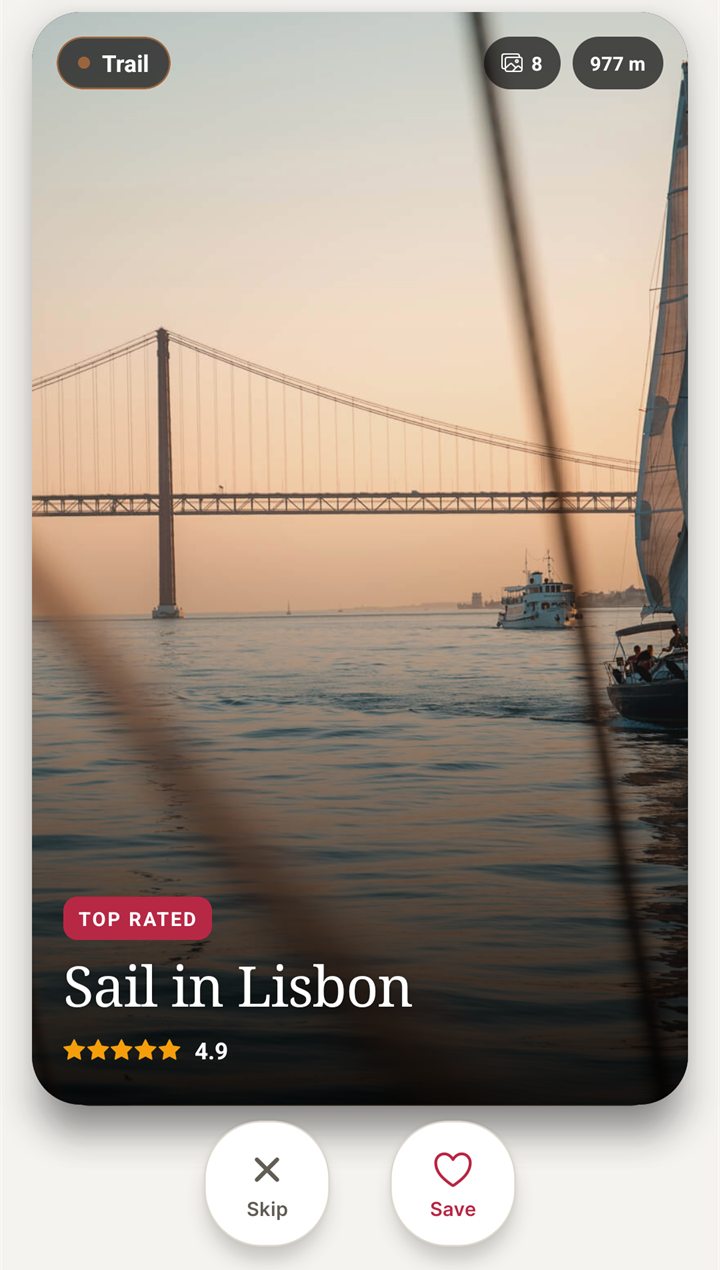
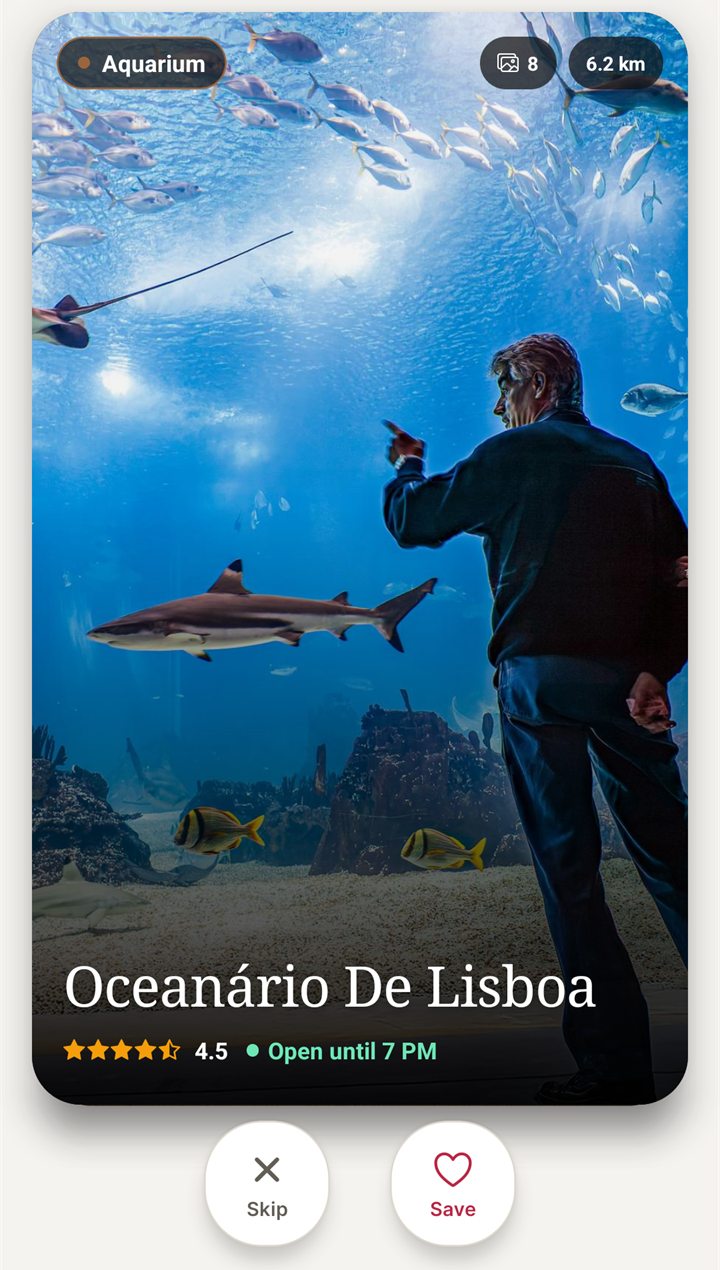
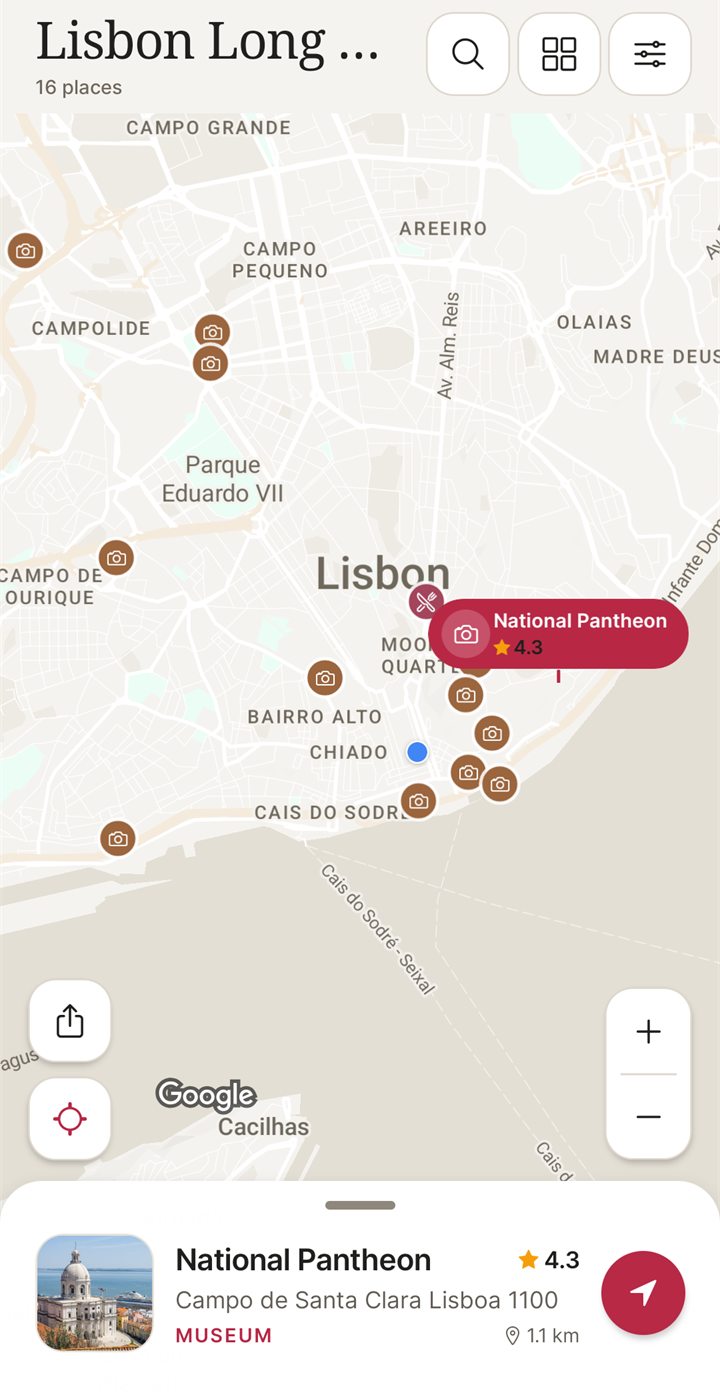
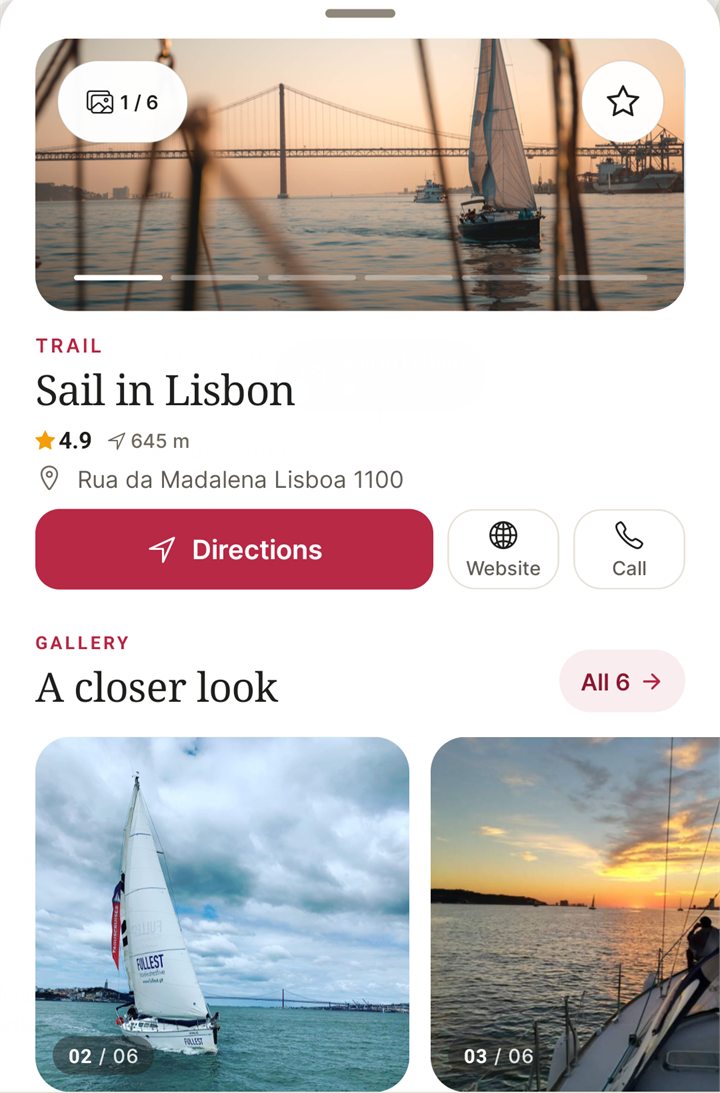
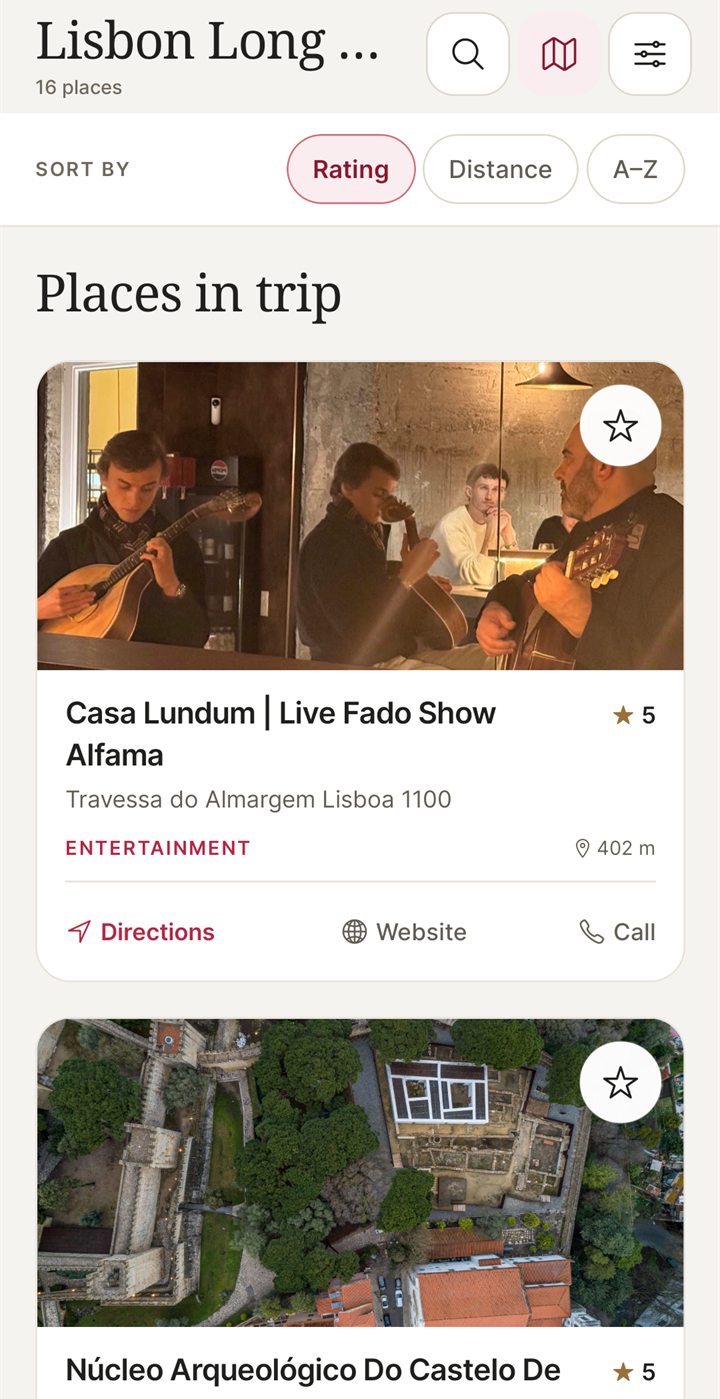
A real Lisbon trip16 places, planned by swiping
$0
Swipe real places in any city, keep up to 3 trips, see each one on a map, sort by rating or distance, and keep up to 20 saved trips available offline after you open them online. Includes 2 destination searches and 2 custom pins a month. Free to download, no card needed.
Unlimited
Everything in Free, without the limits: unlimited swipes, trips, destination searches and custom pins. $4.99 monthly or $49.99 lifetime; Google Play shows your local price before you pay.
What is a swipe travel app? A swipe travel app shows places one card at a time: swipe right or tap Save to keep a place, swipe left or tap Skip to pass. NomadSwipe does this with real places in any city on Android, and every place you save goes into a trip you can see on a map. See how the idea compares in swipe travel apps compared.
How do I turn saved places into a day-by-day itinerary? Group the places by where they sit on a map, check which days each one is open, then order each day's stops. NomadSwipe shows every saved place on one trip map so the clusters are easy to see, but it does not build the days for you. The five steps, with worked plans from real city data, are in how to turn saved places into a day-by-day itinerary.
How do I plan a trip on a map? Save each place, cut the list to a shortlist, look for clusters of pins and give each cluster its own day. In NomadSwipe the trip opens as a map with every saved place pinned, and you can switch to a list view sorted by rating, distance or A to Z. The 8-step guide to planning a trip on a map works in several apps.
Does NomadSwipe work offline? Yes, for trips you have opened online. Up to 20 saved trips are available offline after you open them online, and offline copies expire. What each tool keeps offline is compared in offline trip planners for Android.
How do I plan a weekend city break? Choose your two days first, swipe a shortlist of real places, and cluster the shortlist on a map by neighbourhood. Check which of your days each place is open, because some places close at weekends. The 48-hour weekend city break checklist has the eight steps and a worked example.
How do I find hidden city gems? Start from a shortlist, not a hunch: keep sights with a good rating but a modest review count and stored opening hours, then check each one by name. The hidden city gems guide tests that rule on real data from Porto, Athens and Lisbon and says where it fails.
How much does NomadSwipe cost? The app costs nothing to download. The free plan includes 3 trips, 2 destination searches and 2 custom pins a month, plus a limited number of swipes. Premium removes those limits, as a monthly plan or a one-time Lifetime purchase; Google Play shows the current price before you pay.
Is NomadSwipe on iPhone? The iPhone version is in App Store review and will be on the App Store soon. On Android, NomadSwipe is on Google Play now.
City guides. Place-by-place plans built from the places in the app: Lisbon in 2 days, a Porto itinerary for 3 days, a Chiang Mai itinerary for 3 days and a Budapest itinerary for 3 days.
Newest guides. Latest pages from the comparisons and guides section: Is Travefy Worth It? Verdict and Price, Nov 2026, Day by Day Travel Itinerary: 5 Steps and a 3-Day Sample, Is a Couple of Days 2 Days? Plan a 2-Day Trip (2026), How to Plan a Two Day Trip: 6 Blocks, Worked in Edinburgh, Is Roadtrippers Worth It? Plans, Limits, Who It Suits, How to Add Multiple Cities in Wanderlog (Nov 2026), How to Use Mindtrip: 9 Steps to Plan a Trip (2026), Is Sygic Worth It? Verdict by Traveler Type, 1 Day Tour Itinerary Example: Rome, Hour by Hour, Best App to Keep Track of Places Visited: 8 Compared, Apps Like HappyCow: 5 Vegan Finders Compared (2026), Is Sygic Better Than Google Maps? It Depends (2026).
More to read. Comparing options? See the best trip planner apps in 2026 or apps to compare with NomadSwipe. Staying long in Europe? Try the Schengen 90/180-day calculator.
Help and account. Visit the support page, follow the steps on the account deletion page, or email privacy@nomadswipe.com.
Planning a trip soon? Start swiping the city before you land.
NomadSwipe is Android only today, not on iPhone yet. Email privacy@nomadswipe.com to hear the day the iPhone version is live, or swipe 6 Lisbon places right here.